Get Started with photo-cli: Archive Photos in Minutes
Run your first photo-cli archive command to lay your photos out by year/month/day, hash-stamp every file, deduplicate, index everything in a local SQLite database, and expose the archive to AI assistants over MCP.
This guide walks you through installing photo-cli, running your first archive command, and connecting the resulting archive to an AI assistant over MCP. By the end, you will have a [year]/[month]/[day]/ folder of hash-stamped photos, a SQLite index, one album per country/city — and an MCP server for your AI assistant to query & open photos conversationally.
photo-cli archive \
  --input /path/to/source \
  --output /path/to/archive \
  --reverse-geocode OpenStreetMapFoundation \
  --openstreetmap-properties country city \
  --auto-reverse-geocode-album \
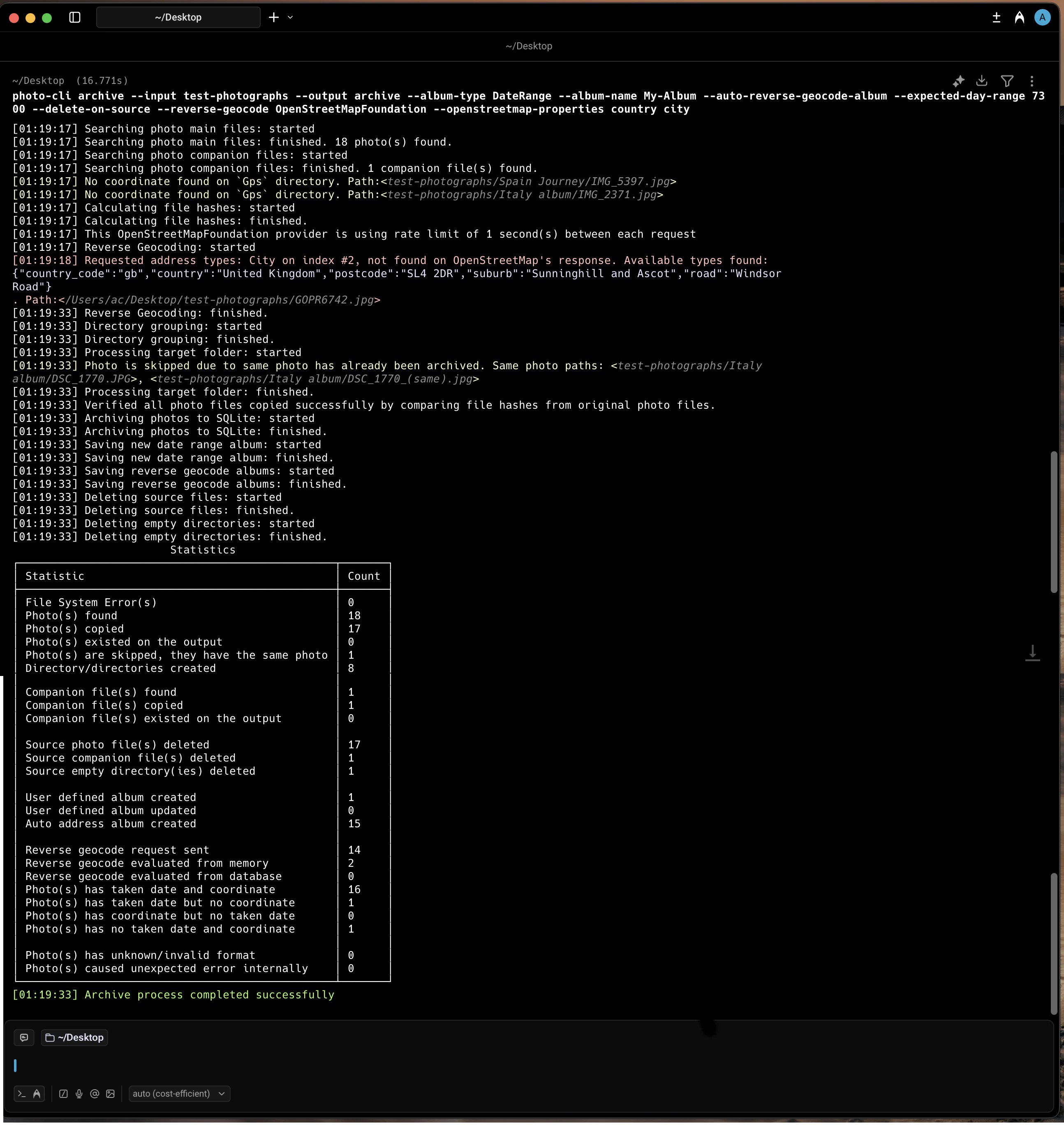
Executing photo-cli archive in the macOS terminal
3
What happens behind the scenes
The command discovers photos and their companion files, reads EXIF metadata (date + GPS), and reverse-geocodes coordinates via OpenStreetMap with in-memory deduplication. It then organizes files into a year/month/day/ layout with SHA1-stamped names, deduplicating identical content and routing dateless photos to a fallback folder.After copying, it verifies each file by re-hashing, indexes everything (paths, dates, coordinates, addresses, SHA1) into completely local file based database, and builds per-location albums from the geocoded address levels.
4
Check the output
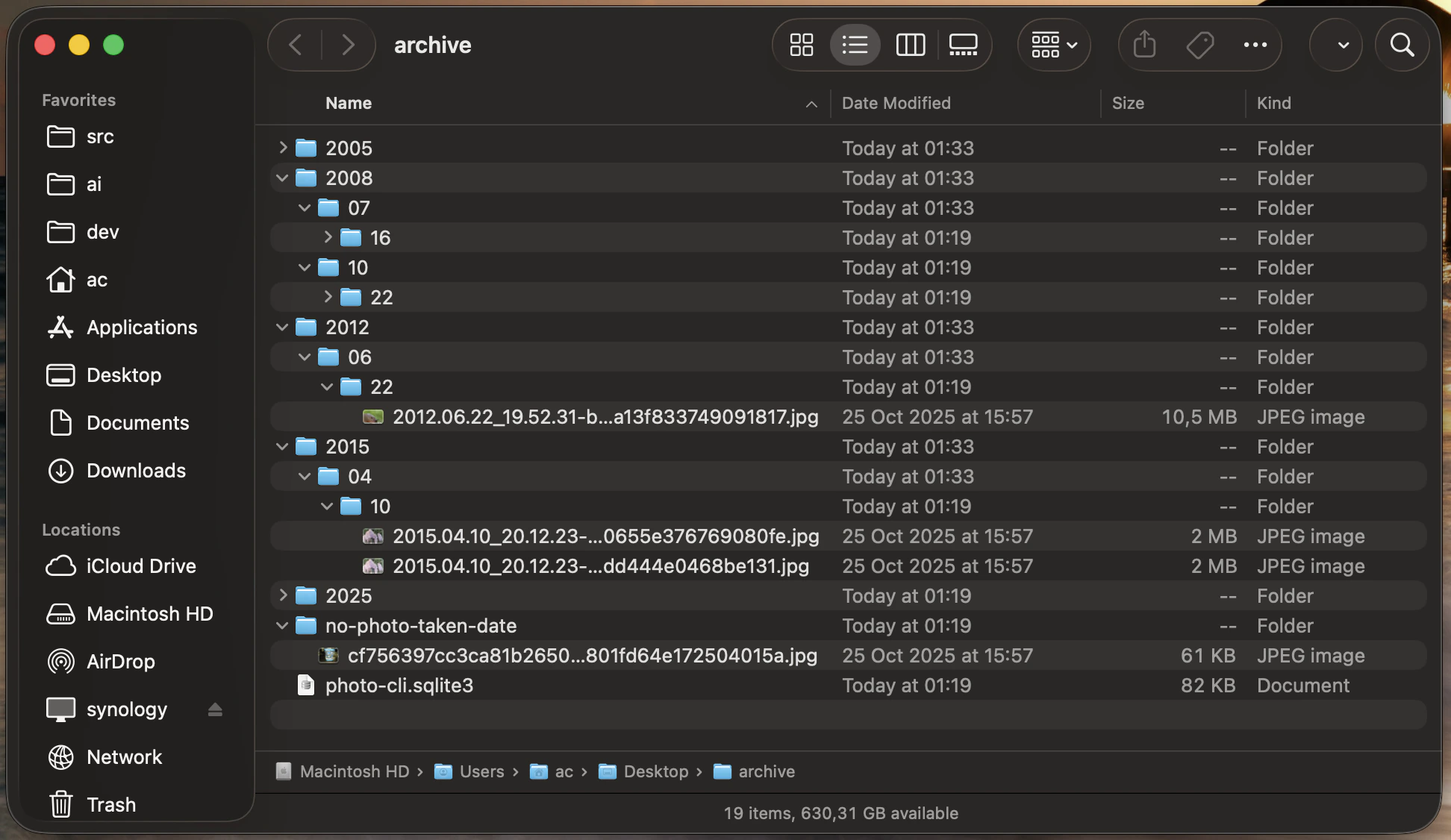
Open the archive folder. You will find photos laid out as [year]/[month]/[day]/yyyy.MM.dd_HH.mm.ss-{sha1}.ext, byte-for-byte duplicates skipped automatically, photos with no taken date in a no-photo-taken-date/ subfolder, and a photo-cli.sqlite3 database at the root indexing every photo, address, and album.
The resulting archive in Finder
5
List or open archived photos
Query the SQLite index to open photos by date or list every album that was created:
photo-cli list --input /path/to/archive --type PhotosByDate --year 2008 --month 10
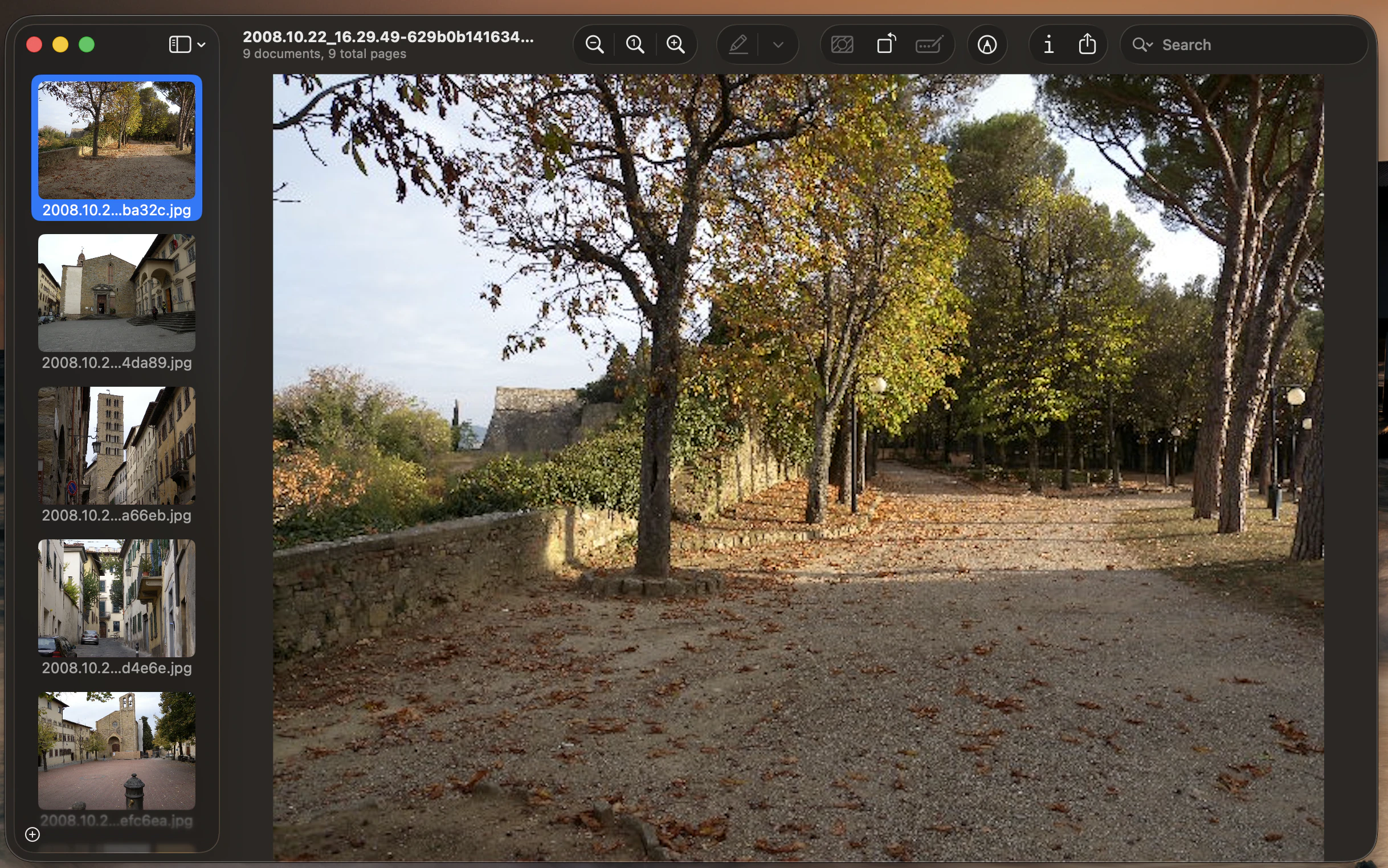
On macOS matches open in Preview; on Linux/Windows paths are printed to stdout so you can pipe them to your viewer of choice (e.g., xargs xdg-open on Linux).
photo-cli list opening the October 2008 photos in macOS Preview
6
Query your photo archive by AI assistant over MCP
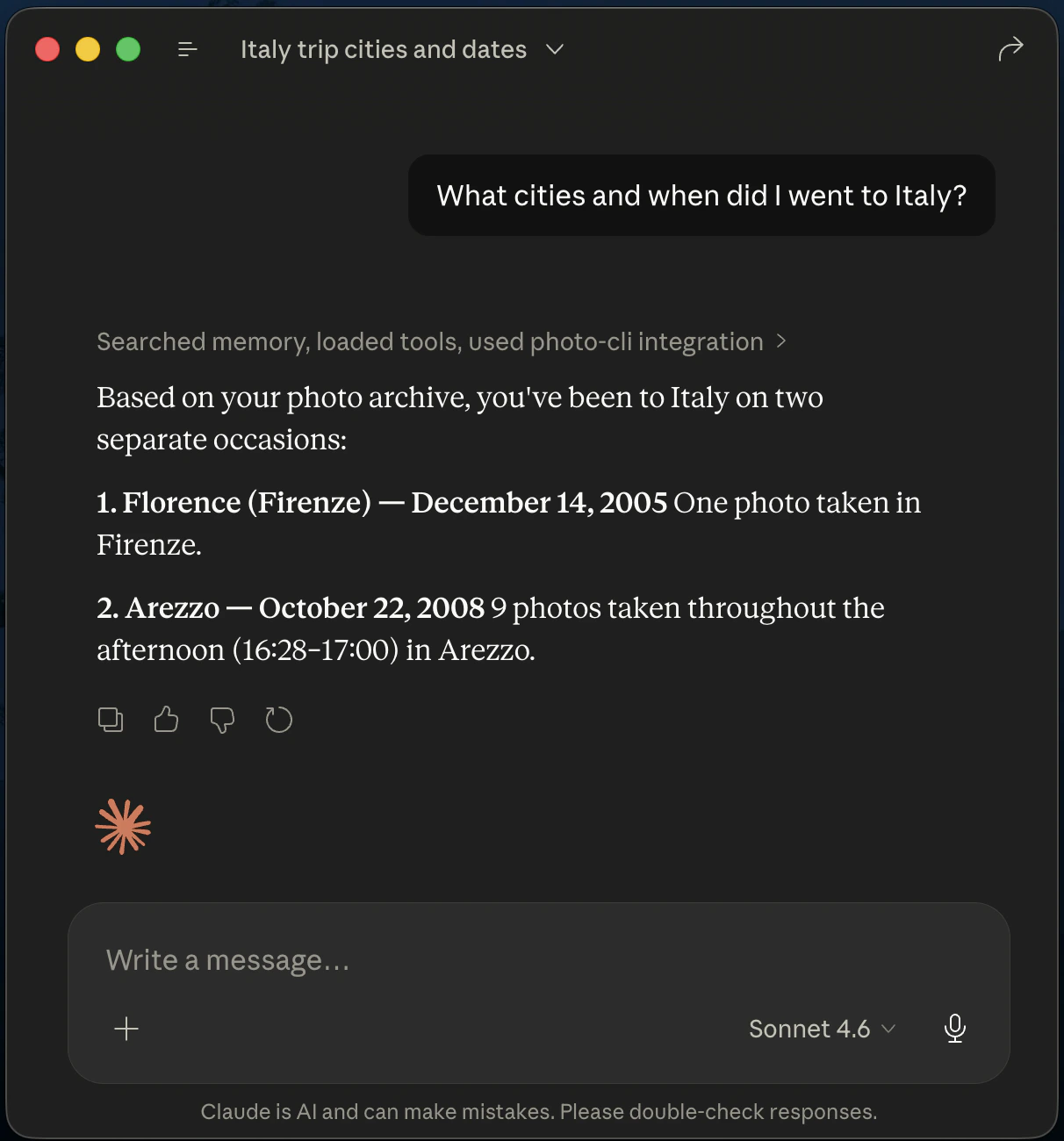
photo-cli mcp starts a Model Context Protocol stdio server that exposes the archive’s SQLite database to AI assistants. Tools like Claude Code, Claude Desktop, and VS Code can then search by date, location, album, or proximity to a GPS coordinate — and even open matching photos in your default viewer. See the mcp command reference for the full tool list.Once connected, ask the assistant things like ‘What cities and when did I went to Italy?’, ‘show me everything taken within 5 km of 43.78, 11.23’, or ‘open all photos in the Italia-Firenze album’.
MCP integration with Claude Desktop showing a query for photos
7
Open the matching photos from the assistant
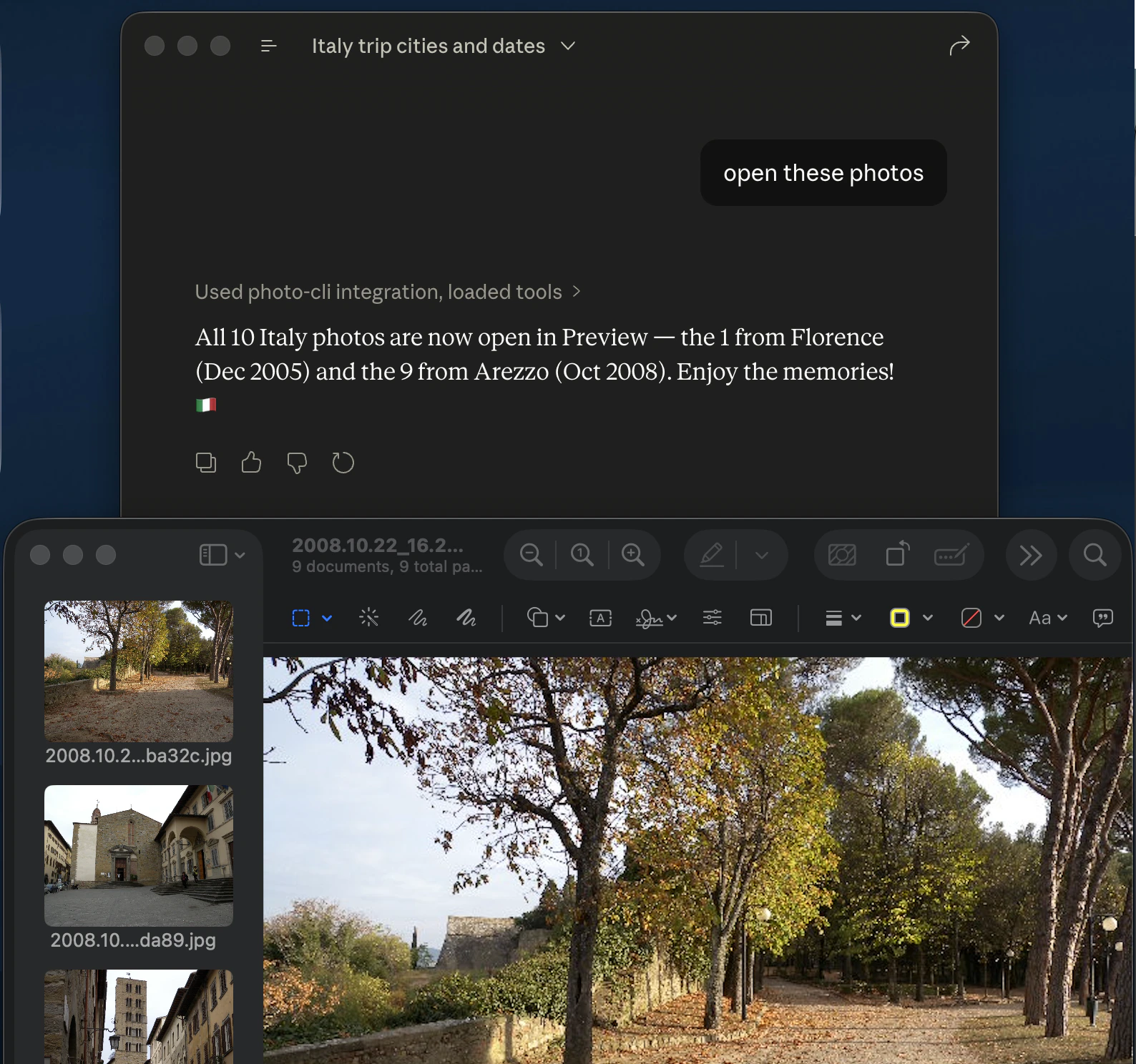
When you ask the assistant to open photos (rather than just list them), the MCP server hands the matching files off to your OS image viewer. Today this is wired up for macOS only — matches open directly in Preview. On Linux and Windows the open_photos_* tools are not active yet; use the list_photos_* tools and pipe the returned paths to your viewer of choice.
Photos opened in macOS Preview after an MCP open_photos_by_album_name call